"Automation" means different things depending on who you ask. To a machine builder it means robots, PLCs, conveyors and pick-and-place. To a factory owner it often means something simpler and more urgent: I want to stop paying people to copy numbers from one place to another, and I want to know about problems while there is still time to fix them.
That second kind is what manufacturing automation software does. It does not replace operators on the line. It replaces the clipboards, registers, end-of-shift spreadsheets, phone calls and morning meetings spent working out what happened yesterday. For most small and mid-sized factories it is the cheapest and fastest automation available, and it makes any later investment in physical automation easier to justify. This guide explains what to automate first, how to connect machines, and how to avoid the expensive mistakes.
Two kinds of automation
It helps to separate two layers.
- Physical automation changes how products are made: CNC machines instead of manual ones, robots for welding or loading, automatic filling and capping, conveyors and vision inspection. It needs capital, engineering and often a line shutdown.
- Information automation changes how the factory knows and decides: production counts captured automatically, stoppages recorded as they happen, alerts when something drifts, reports that build themselves, and data that flows between departments without re-typing.
The second layer can be added to the machines you already have, usually one line at a time, with little or no disruption to production. It also produces the data that tells you where physical automation would pay off. A factory that does not yet know its real downtime, cycle times and scrap rate is guessing when it buys a robot.
Signs your factory needs manufacturing automation software
- Supervisors write machine counts on paper during the shift and someone types them into Excel the next morning.
- The production meeting starts with arguments about whose numbers are right.
- A machine stopped for forty minutes and nobody outside that area knew until the shift report.
- Planning, stores, quality and accounts each keep their own spreadsheet of the same orders.
- Monthly reports take days to compile and are out of date when they arrive.
- Customers ask for production or quality data and it takes a week to dig out.
What to automate first
Not everything is worth automating, and not all at once. These five areas give the fastest return in most discrete and process factories, roughly in this order.
1. Production counts on the bottleneck
Start with the machines or lines that limit output. Capturing good counts and run status automatically from these machines gives you true output by hour, a plan-versus-actual view and the raw material for OEE. On many machines this needs only a connection to the controller or a simple counter sensor.
2. Downtime recording
Once the system knows when a machine stops, it can ask the operator why — with a short list of reason codes on a tablet next to the machine — instead of relying on memory at the end of the shift. Within weeks you have a ranked list of what actually stops production. Our guide to downtime management software goes into reason-code design.
3. Alerts and escalation
Rules turn data into action: notify the supervisor when a bottleneck machine has been stopped for more than ten minutes; alert maintenance when the same fault repeats three times in a shift; warn planning when an order is falling behind its hourly target. Alerts should be few and specific. A factory where every phone buzzes all day soon ignores them all.
4. Automatic records
Records that people currently create by hand can often be generated from signals: production bookings against the work order, machine hours for maintenance planning, cycle counts for tool and die life, and inspection tasks triggered every n parts. Each record created automatically is one that cannot be forgotten or filled in late.
5. Scheduled reports and data flow
Shift reports, daily production summaries, weekly OEE and scrap reports can be generated and sent automatically. Data that several departments need — completed quantities, scrap, material consumed — can be pushed to the ERP or accounting system instead of being re-typed. This is often where the most office hours are saved.
Connecting machines: the realistic options
Machine connectivity is where many projects get stuck, usually because someone assumes it is either trivial or impossible. In practice there are a few routes, and a typical SME plant uses more than one.
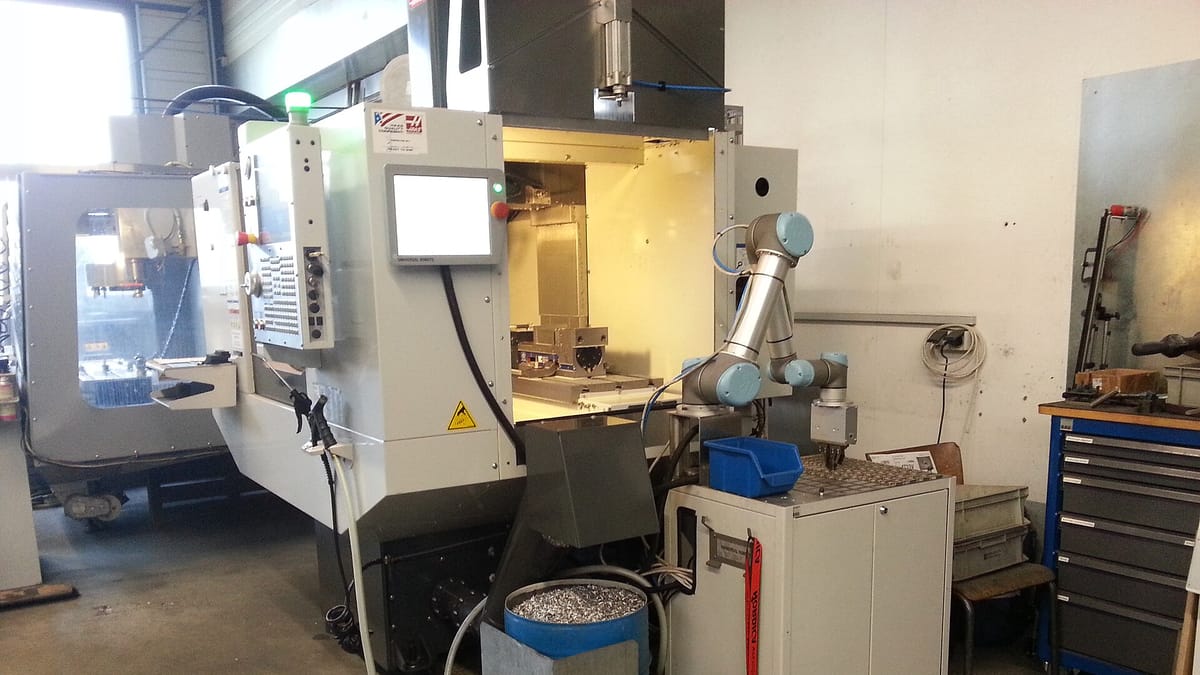
- Controller or PLC connection. Modern CNC controls and PLCs can often share counts, status and parameters over the network through protocols such as OPC UA, MTConnect or Modbus, depending on the make and model. Some older controllers need an optional software licence from the machine maker.
- Add-on sensors. For machines without a usable controller interface, simple sensors can detect run status from a stack light, motor current or spindle, and count parts with a proximity or photo sensor. A small edge device sends the signals to the software.
- Operator input. Some information — reasons for a stoppage, a quality decision, a material lot — only a person knows. A good tablet screen at the machine captures it in seconds.
- Barcode and RFID scanning. Scanning work orders, material lots, tools and operators links the machine data to the right job without typing.
Before any quote, a supplier should look at your machines — make, model, controller and age — and tell you, machine by machine, what can be captured and how. Our article on retrofitting old machines covers the hardware side in more detail. Hardware such as sensors and edge devices is usually a separate cost from the software.
Integration: making systems talk
A large share of factory office work is moving data between systems that do not talk to each other: orders from the ERP into a planning spreadsheet, production quantities back into the ERP, stock from stores into purchasing, quality results into customer certificates. Manufacturing automation software can take over much of that, using the methods each system supports:
- APIs, where the ERP or other software provides them.
- Scheduled file exchange — CSV or Excel exports and imports — for systems without an API.
- Direct database connections, used carefully and only with the system owner's agreement.
What is possible depends on the other system, so a supplier should check it during scoping rather than promise it in advance. Our guide to API integration between business systems explains the options.
Cloud, on-premise or both
Production data can be hosted in the cloud, on a server in the plant, or in a mix: an edge device or local server collects machine data and keeps shop-floor screens working, and summaries are synchronised to the cloud for management and remote access. Whatever the arrangement, three things matter:
- The shop floor must keep working through short internet outages.
- Machine networks should be separated from office and internet traffic.
- Access should be role-based, and you should own the data and be able to export it.
A sensible rollout
- Baseline. Measure today's output, downtime and reporting effort on one line, even roughly, so you have something to compare against.
- Pilot one line. Connect the bottleneck machines, add downtime reasons and a live board. Keep the scope small enough to be live in weeks.
- Act on the data. The value comes from what the team does with what they now see — daily review of the top stoppage reasons, quick fixes, maintenance changes.
- Add rules and reports. Once the data is trusted, add alerts, escalation and scheduled reports.
- Extend and integrate. Roll out to other lines, connect to the ERP, add tool life, maintenance triggers and quality checks.
This order matters. Factories that start with dozens of alerts and complex integrations before anyone trusts the basic counts tend to end up with a system nobody believes.
Building the business case
Manufacturing automation software is easier to justify than most investments because the costs it removes are visible:
- Clerical hours. Count the hours spent each week writing, typing, checking and compiling production data.
- Response time. Estimate how much bottleneck output is lost because stoppages are noticed late.
- Hidden capacity. Once downtime is measured, the top few causes are often fixable, releasing capacity without new machines.
- Better decisions. Accurate cycle times improve quoting and planning; accurate scrap data shows where quality effort should go.
Treat promises of large, fixed percentage gains with caution. Real gains depend on your process and on what your team does with the information, and they arrive line by line. Our article on the MES business case shows how to put numbers to it.
What automation looks like in different factories
The principles are the same everywhere, but the first wins differ by type of plant.
Machine shops and job shops
CNC machines often share cycle counts and alarm status through their controls. The first steps are usually spindle-time and part-count capture, downtime reasons, and actual cycle times fed back into quoting and planning. High-mix shops also gain from automatic job booking by scanning the work order at the machine, so time is charged to the right job without timesheets.
Press shops and fabrication
Stroke counters on presses feed both production counts and die life, so one signal serves two purposes. Welding and cutting cells can report arc-on or cutting time. Alerts for changeover overruns and die maintenance due are typically the first rules.
Plastics and moulding
Moulding machines can usually report shot counts and cycle time. Comparing actual cycle time with the standard for each mould shows quickly where output is being lost, and shot counts drive mould maintenance automatically.
Food, pharma and chemicals
Process plants gain most from automatic capture of batch parameters — temperatures, times, weights — against each batch record, with alerts when a reading leaves its range. This reduces manual logging and makes batch records more complete, although the plant's own quality team remains responsible for review and release.
Assembly and packing lines
Line-end counters, checkweighers and label printers provide counts and rejects by hour. Linking them to the work order gives live plan-versus-actual on a TV board and automatic production booking at shift end.
Mistakes to avoid
- Buying sensors before defining questions. Decide what you need to know and decide first; then choose what to measure.
- Connecting everything at once. A plant-wide rollout before one line works well spreads effort thin and hides problems.
- Dashboards nobody owns. A TV board that nobody reviews daily becomes wallpaper within a month.
- Too many reason codes. Forty downtime reasons produce poor data. Start with eight to twelve, and refine.
- Locking in a closed platform. Make sure you can export your data and that the software can grow with your process.
Questions to ask a supplier
- Which of our machines can you connect, how, and what hardware is needed for each?
- What happens on the floor if the network or internet fails?
- How will this connect to our ERP or accounting software?
- Can we change reason codes, alert rules and reports ourselves?
- What does the first phase include, how long will it take and what does it cost in total, including hardware?
- Who owns the code and the data?
Working with Corposol
Corposol builds custom manufacturing automation software, machine monitoring, MES and workflow systems for small and mid-sized factories. We review your machines and processes first, start with the line where the data is worth most, and grow from there. All custom code is transferred to you on final payment, and your data stays yours.
Frequently asked questions
What is manufacturing automation software?
It is software that removes manual data entry and manual decisions from routine factory work: collecting counts and status from machines, raising alerts and tasks on rules, creating production and downtime records automatically, and moving data between planning, production, quality, stores and accounts without re-typing.
Is it the same as PLC or robot automation?
No. PLCs, robots and conveyors automate physical work. Manufacturing automation software automates the information around that work — what was made, what stopped, what is late, what needs attention. It can use signals from PLCs and controllers, but it is a different layer.
Do we need new machines?
Usually not. Many CNC machines and PLC-controlled lines already expose counts or run status, and older machines can often be fitted with simple sensors on a stack light, motor current or part counter. We review your machines first and tell you what can be connected and what hardware it needs, which is quoted separately.
What should we automate first?
Start where people spend the most time copying numbers or where problems are found too late — typically production counts and downtime on the bottleneck machines, followed by shift reports and alerts. Prove the benefit on one line before extending.
Can it work with our ERP?
It can usually send production quantities, scrap and machine hours to an ERP or accounting system, and read orders and items from it, where that system offers an API, import facility or data export. We confirm what is feasible during scoping.
Is our production data safe in the cloud?
It can be hosted in the cloud or on a server in your plant. Either way, access is controlled by user roles, connections are encrypted, and machine networks are kept separate from office and internet traffic. You own the data and the code built for you.