Most growing businesses run on several software systems: a CRM for leads and customers, an accounting package, an inventory or ERP system, a field service or production system, an e-commerce store, spreadsheets and messaging apps. Each works reasonably well on its own. The problems appear between them: data typed twice, numbers that never match, orders that fall through the gap, and staff spending hours copying information from one screen to another. API integration lets these systems exchange data automatically. This guide explains how to approach it without needing to be a developer.
What an API is, simply
An API (application programming interface) is a door a software system offers to other software. Through it, another program can ask for data ("give me today's orders") or send data ("create this invoice"), following agreed rules. Many modern systems offer APIs; some also offer webhooks, which notify another system the moment something happens ("an order was just paid"). Older systems may only support file imports and exports, or direct database access.
Integration is the work of using these doors to move the right data, at the right time, in the right format, with proper handling when something goes wrong.
Start with the pain, not the systems
List the places where people re-type data or reconcile mismatches. For each one, note how often it happens, how long it takes and what errors it causes. Typical high-value candidates:
- Won deals in the CRM re-entered as customers and orders in the operations system.
- Completed jobs or deliveries re-entered as invoices in accounting.
- Online orders re-entered into inventory or dispatch.
- Payments received re-entered against invoices.
- Stock levels updated manually in the online store.
- Data copied from several systems into a weekly management report.
Rank them by time saved and errors avoided. Integrate the top one or two first.
Decide the system of record
For every type of data, decide which system is the master — the place where it is created and corrected. For example: customers in the CRM, products and prices in the ERP, invoices and payments in accounting, jobs in the field service system. Data flows out from the master to the others. Without this rule, two systems will both edit the same record and overwrite each other, and nobody will know which version is right.
Common integration patterns
Event-driven sync. When something happens in one system (an order is confirmed), a webhook or a scheduled check triggers the creation or update of a record in another. Good for orders, jobs, payments and status changes.
Scheduled batch sync. Every few minutes, hourly or nightly, changed records are collected and sent across. Simpler and robust; good for stock levels, master data and reporting.
Central hub. When more than two or three systems are involved, a small integration layer or data hub receives data from each system, applies rules and passes it on. This avoids a tangle of point-to-point connections and gives one place to monitor everything.
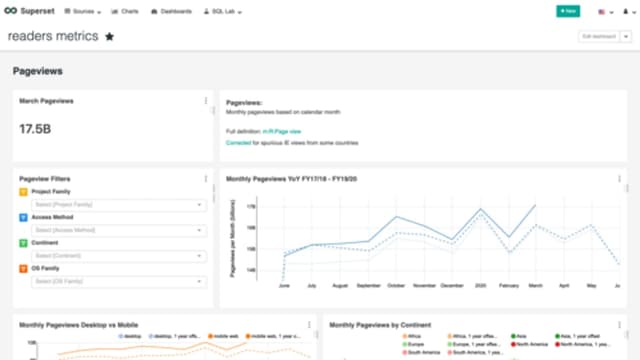
Reporting integration. Instead of syncing systems with each other, data from all of them is copied into a central database for dashboards and reports. Often the quickest win for management visibility.
Mapping the data
Systems rarely describe things the same way. One calls it a "client", another an "account". One stores tax rates as percentages, another as codes. Product codes, units, customer names and addresses often differ. Mapping is the detailed work of matching fields, codes and values between systems. Involve the people who use each system daily; they know the exceptions.
Pay special attention to identifiers. Each system has its own record IDs. The integration must store the link between them, so an update to a customer in the CRM updates the right customer in accounting — not a new duplicate.
Handling errors and duplicates
Integrations fail in ordinary ways: a system is down for maintenance, a required field is missing, a product code does not exist on the other side, a network request times out, or the same event is sent twice. A reliable integration:
- Retries temporary failures automatically.
- Queues data while a system is unavailable instead of losing it.
- Recognises duplicates so the same order is never created twice.
- Logs every transfer, with enough detail to trace a problem.
- Alerts a named person when something needs human attention, with a clear explanation.
- Offers a simple screen to review and re-send failed records.
The first version of an integration that only handles the happy path will cause more trouble than it saves.
Security
Integrations hold keys to your systems. Use dedicated integration accounts with only the permissions needed, store credentials securely (never in spreadsheets or emails), use encrypted connections, and rotate credentials when staff or vendors change. Log access, and review which integrations exist at least once a year.
Check vendor limits early
Before committing, confirm for each system: does it have an API or import option for the data you need? Are there limits on how many requests you can make? Does API access require a particular plan or extra fees? Is there a test environment? The answers vary between vendors and between plans of the same product, and they can change. A short technical check at the start avoids surprises later.
Testing and go-live
Test with realistic data, including awkward cases: long names, special characters, cancelled orders, partial payments, returns and price changes. Run the integration in parallel with the manual process for a short period and compare results. Go live in stages — perhaps one branch or one product category first — and watch the logs closely during the first weeks.
Keeping it running
Integrations need an owner. Vendors update their APIs, credentials expire, new fields are added and business rules change. Set up monitoring and alerts, document what each integration does, and agree who fixes problems and how quickly. A small amount of regular maintenance prevents silent failures that are discovered only at month-end.
Example
A distributor received orders through a dealer portal, entered them into its inventory system, then re-typed invoices into accounting. Each step took time and created mismatches. An integration was built so confirmed portal orders created sales orders automatically, dispatches updated the portal with tracking details, and invoices flowed to accounting with the right tax codes. A daily summary flagged any failed transfers for review. Order entry time dropped sharply, and month-end reconciliation went from days to hours.
Summary
Good integration starts with the pain points, a clear system of record for each type of data and careful mapping. Build for failures as well as success, secure the connections, confirm what each vendor's system allows, and assign an owner to keep integrations healthy. Done well, integration lets your existing systems work as one — without retyping.
Frequently asked questions
Can any two software systems be integrated?
Only if both offer a way to exchange data — an API, a database connection, file imports and exports, or webhooks. Feasibility, limits and any extra fees depend on each vendor and must be checked for the specific systems.
Is real-time integration always better?
No. Some data, like a new order or a payment, benefits from near real-time sync. Other data, like daily stock levels or reports, is fine every hour or once a day and is simpler to run.
What happens if one system is down?
A well-built integration queues the data and retries later, logs failures and alerts someone if a problem persists, so nothing is silently lost.
Who maintains the integration?
Someone must own it. APIs change, credentials expire and business rules evolve. Plan for monitoring and maintenance, whether in-house or with your development partner.
Do we need to replace our existing software to integrate?
Usually not. Integration lets existing systems work together. Replacement is worth considering only when a system cannot exchange data at all or no longer fits the business.