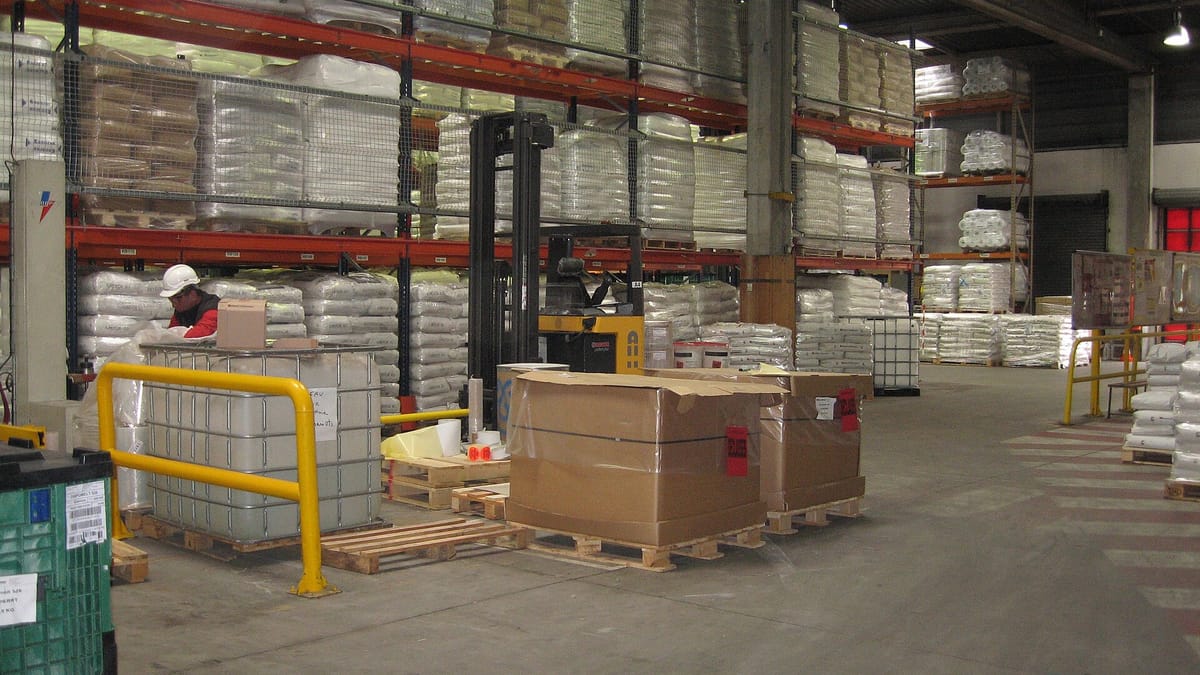
Inventory is where a factory's cash sits: raw materials waiting to be used, work in progress on the shop floor or at job work vendors, finished goods waiting for dispatch, and spares and consumables in stores. When stock records are wrong, production stops for material that "should be there", purchase buys what is already in stock, and month-end valuation becomes guesswork.
This guide explains how custom inventory management software for manufacturers is designed and built — from raw material receipt to finished goods dispatch — and what to consider when commissioning one.
What makes manufacturing inventory different
- Transformation. Materials are consumed and converted, so stock moves between raw material, WIP and finished goods through production.
- Units and conversions. Steel bought in tonnes and issued in pieces or metres; film bought in rolls and consumed in kilograms; chemicals stored in drums and issued in litres.
- Batches, lots and heats. Material identity must be preserved for traceability and quality.
- Job work. Material sent to vendors for processing remains your stock and must be reconciled when it returns, with process loss.
- Scrap, rejects and by-products. Generated in production and often sold.
- Quality status. Material received is not usable until inspected; rejected material must be segregated.
- Customer-supplied material. Free-issue material owned by customers but processed by you.
Core modules
Item master
Items with codes, descriptions, categories, units and conversions, specifications, approved suppliers, reorder levels, storage conditions and whether they are batch-, serial- or heat-controlled. Clean item masters are the foundation of everything else.
Goods receipt and inward inspection
Receipts against purchase orders, with supplier batch, quantity, weight and documents. Material goes to quality hold until inspection releases it — see quality management software. Labels are printed with a barcode for each bag, coil, roll or pallet.
Locations and bins
Stores, racks, bins and yard locations, so items can be found and picked quickly. Larger operations add putaway rules and warehouse management functions.
Issues to production
Material requisitions against production orders or jobs, issued by scanning, with batch selection by FIFO or FEFO as described in FIFO versus FEFO. Returns of unused material are recorded too.
WIP and production receipts
Finished and semi-finished output is received into stock from production, with batch or serial numbers carried forward. Consumption can be recorded as issued or back-flushed from the BOM.
Job work
Material sent to vendors with challans, tracked at the vendor, received back with process loss and reconciled. See job work management software and planning around job work vendors.
Finished goods and dispatch
Finished goods by batch and location, reserved against sales orders, picked by scanning and dispatched with packing lists and invoices.
Reorder and planning
Minimum and maximum levels, reorder points and suggested purchase requests, or full MRP from the production plan and BOMs. ABC analysis sets where to focus control.
Counting and adjustments
Cycle counts by scanning, with differences investigated and adjustments approved. See cycle counting versus annual stock take.
Valuation and reports
Stock by item, batch, location and status; ageing and slow-moving stock; consumption against standard; and valuation by the method your accounts use.
Barcode and mobile design
Stores staff need fast, simple screens on handheld scanners or phones: scan the item label, scan the location, enter or confirm quantity, done. Label formats should carry the item, batch, quantity and a unique ID so each package can be scanned individually. Printers at receiving and in production print labels on demand.
Integrations
- Purchase — purchase orders and approvals feed receipts. See purchase management software.
- Production / MES — requisitions, issues, consumption and output.
- Quality — inspection status controls usability.
- Sales and dispatch — reservations and shipments.
- Accounts — Tally or ERP for invoices and valuation.
- Weighing scales and printers — weights captured directly into receipts and production records.
Design decisions to make early
- Which items are batch-, serial- or heat-controlled?
- Issue-based consumption or back-flushing?
- Which stock statuses: quality hold, approved, rejected, blocked, customer-owned?
- Valuation method and how it matches the accounts.
- Who can adjust stock and with what approval?
- Single plant or multi-plant with transfers?
Rollout in phases
- Item master clean-up and opening stock count.
- Receipts, issues and stock by location for raw materials.
- Barcode labels for receipts and issues.
- Finished goods, dispatch and job work.
- Reorder planning or MRP, cycle counting and analytics.
What drives development cost
- Number of item types and control methods (batch, serial, heat, expiry).
- Warehouse complexity — locations, putaway, picking rules.
- Barcode labels, scanners, printers and scales.
- Job work, customer-supplied material and multi-plant transfers.
- Planning depth — reorder levels versus MRP.
- Integrations with accounts, purchase and production.
- Data cleaning and opening stock.
Signs it is working
- System stock and physical stock agree in cycle counts.
- Production no longer waits for material that "was in stock".
- Purchase decisions are based on system data.
- Slow-moving stock is visible and reducing.
- Month-end valuation takes hours, not days.
A worked example: a sheet metal fabricator
A fabricator buys steel sheets and coils by weight from several mills, cuts and bends them into parts, sends some parts for powder coating at a vendor, and assembles cabinets. Before the system, stock was counted monthly, offcuts were never recorded, and powder coating vendors' stock was reconciled from challans once a quarter.
The new system records sheets by heat number and size at receipt, with mill certificates attached. Laser cutting jobs consume sheets by scanning, and usable offcuts are returned to stock with their size and heat. Parts sent for coating are issued on a job work challan and received back against it, with quantity differences flagged. Finished cabinets are received into stock by order. Material yield per job becomes visible, offcuts are reused, and vendor balances are always current. See software for metal fabrication and sheet metal.
Reorder methods compared
| Method | How it works | Suits |
|---|---|---|
| Min-max | Reorder up to maximum when stock falls below minimum | Consumables, spares, stable items |
| Reorder point | Order a fixed quantity when stock falls below lead-time demand plus safety stock | Regularly used raw materials |
| MRP | Calculate requirements from orders and BOMs, net of stock and open orders | Materials driven by production plans |
| Kanban | Replenish when a container is emptied | Repetitive production, line-side stock |
Most factories use more than one: MRP for main materials, min-max for consumables and spares.
Common mistakes
- Allowing negative stock — it hides missing transactions; block it or alert on it.
- Recording issues at day end — stock is wrong all day and errors creep in.
- Too many item codes for the same material — duplicates split stock and confuse purchase.
- Ignoring units of measure — mixing kilograms, metres and pieces without defined conversions.
- No quality status — uninspected material gets used.
- Unrestricted adjustments — every adjustment should have a reason and an approver.
Inventory measures to watch
- Inventory accuracy from cycle counts (% of counts within tolerance).
- Days of inventory or inventory turns by category.
- Stock-outs that stopped production.
- Slow-moving and non-moving stock value.
- Job work material outstanding by vendor and age.
Working with Corposol
Corposol is a manufacturing software development company founded in 2018 in Bengaluru, India, with a US company, Corposol LLC, in Montana. We build inventory and warehouse management software as cloud web applications with Android and iOS apps where they help, connect them to the systems you already use where those systems allow it, deliver in phases, and transfer all custom code to you on final payment. If you are planning a project, we are happy to walk through your current process and suggest a sensible first phase.
Frequently asked questions
Why do manufacturers need different inventory software from traders?
Traders buy and sell the same items. Manufacturers convert raw materials into products through work in progress, issue materials to jobs, send material to job work vendors, generate scrap and by-products, and need batch or heat traceability. Inventory software for factories must model all of that.
Can inventory software work with Tally?
Yes. A common pattern is detailed stores, batch and location stock in the factory system, with purchase and sales invoices and stock values flowing to Tally where its import or API allows it.
Do we need barcodes?
Not on day one, but barcodes or QR labels on bins, bags, rolls and pallets make receipts, issues and stock counts faster and far more accurate. Most factories add them in the first or second phase.
How do we keep stock accurate after go-live?
Record every movement at the time it happens, use barcodes, run cycle counts on high-value and fast-moving items, investigate differences, and restrict who can adjust stock.