The client
The client is an established sheet-metal pressing company in India that produces stamped and drawn components for industrial customers. Its press shop runs a large set of progressive tools, blanking and piercing tools, draw dies and some moulds, many of them owned by customers and all of them critical: if a tool is worn or out for repair, the part doesn't ship. At the client's request we do not publish its name.
The challenge: the tools ran the shop, but nobody could see them
- Tool information lived in registers and people's heads. Which press a tool was approved for, its drawing revision, its last maintenance and its condition were known by a few experienced tool-room staff.
- Maintenance happened after problems, not before. Tools were usually sharpened or repaired when burrs or dimensional problems appeared on parts, which meant rejections, unplanned stoppages and rushed tool-room work.
- Nobody knew how many strokes a tool had done. Production quantities were recorded, but not converted into tool usage, so tool life could not be predicted.
- Tools went missing between shifts. Issue and return between the tool crib and presses was informal, and finding a tool sometimes meant walking the shop.
- Customer questions were hard to answer. When a customer asked about the condition or history of a tool they owned, collecting the answer took days.
What we implemented
We built tool and die management software around the way the press shop and tool room already worked, connected to production so that tool usage is counted from the work the shop is already recording.
1. One tool register
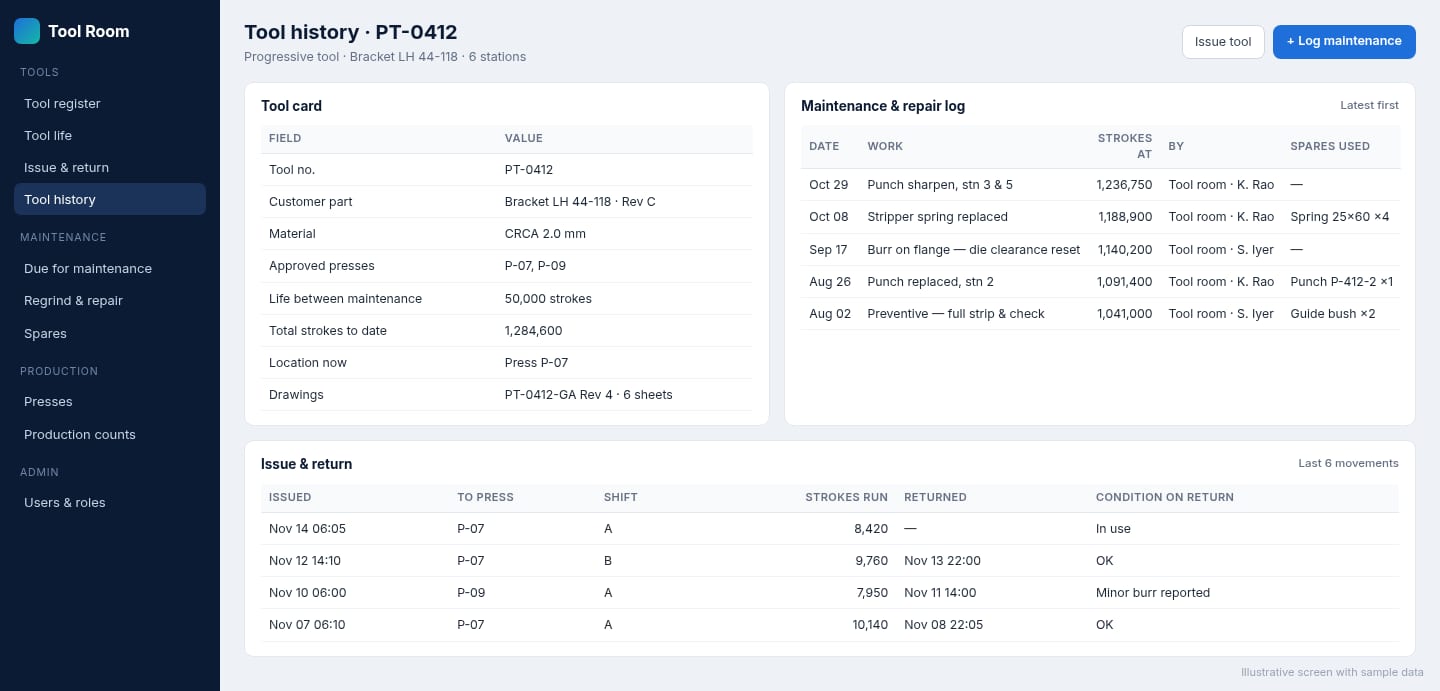
Every tool got a number, a card and a QR label. The tool card holds the customer part and revision, material, approved presses, number of stations, drawings, ownership (company or customer) and the maintenance limits for that tool. Tool-room staff and supervisors find any tool in seconds by scanning its label or searching the register.
2. Tool life from production, not guesswork
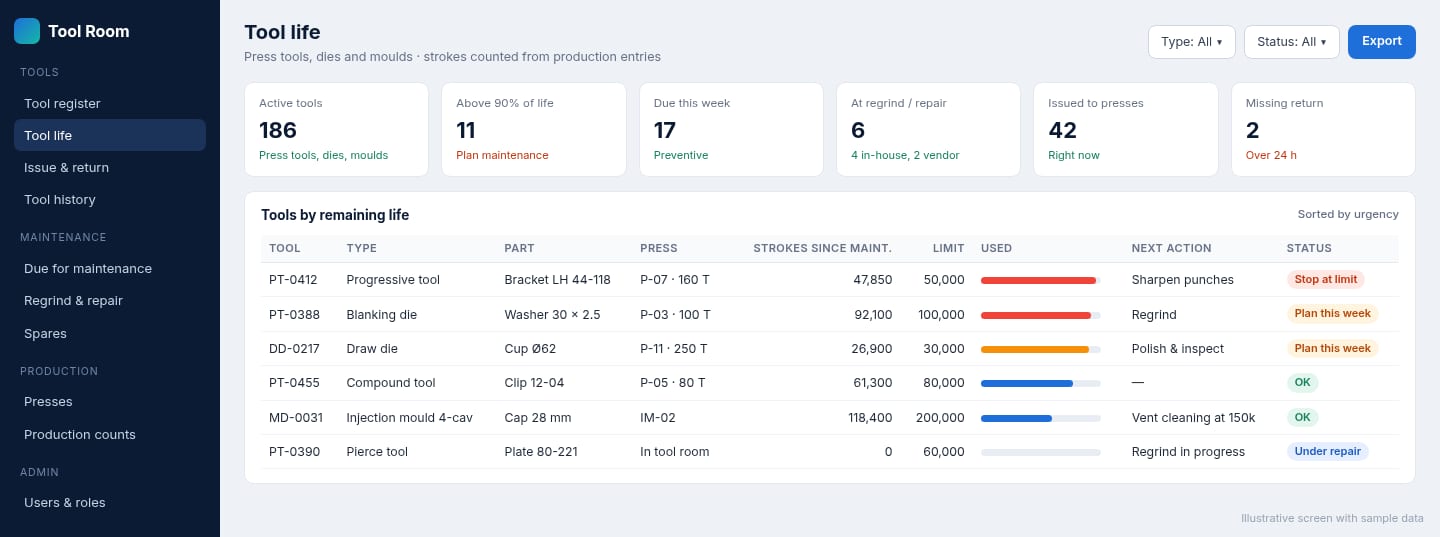
When an operator or supervisor records production against a job, the software converts the quantity into strokes for the tool used, using its parts-per-stroke. Each tool keeps two counters: strokes since last maintenance and lifetime strokes. As a tool approaches its limit it moves up the tool life screen, so the tool room can plan sharpening and inspection into the schedule instead of reacting to bad parts.
3. Issue and return, shift by shift
Tools are issued from the crib to a specific press, shift and job, and returned with a short condition note: OK, minor burr, damage, and so on. The system always knows where each tool is. A tool that hasn't come back after a set time shows up as a missing return.
4. Maintenance and repair history
Every sharpening, regrind, spring or punch replacement, clearance reset and full strip-down is logged against the tool, with the stroke count at the time, who did the work and which spares were used. Over time this history shows which tools and stations fail most often, and which maintenance intervals need to change.
5. Rules the shop decided
The client chose what should happen when a tool reaches its limit. Some tools are blocked from issue until maintenance is recorded; others raise a warning that a supervisor must approve. Tool-room spares used in repairs are drawn from stock, so the cost of keeping each tool running is visible.
How the rollout worked
We started with the tool register, because nothing else works without clean master data. The tool room numbered and labelled the tools and we loaded their details, starting with the tools that run the highest-volume parts. Issue and return went live next, then stroke counting from production, and finally the maintenance limits once the team had enough history to set them sensibly. Each step was usable on its own, so the shop saw value before the whole system was finished.
The results
The software was delivered and is used daily by the tool room, press shop supervisors and management. The main changes in how the shop works:
- Planned rather than emergency tool maintenance, because tool life is visible before parts go bad.
- Every tool can be located, at a press, in the crib or in the tool room, without searching the shop.
- A complete history per tool that the team can use to improve maintenance intervals and answer customer questions quickly.
- Tool knowledge is no longer held by a few people; it is in the system for every shift to use.
Thinking about tool management for your shop?
See our tool and die management software page, or read our guides to tool management software for factories and tool life management. All custom code is transferred to you on final payment.
Frequently asked questions
How does the software know how many strokes a tool has done?
Strokes come from the production quantities recorded against each job, multiplied by the tool's parts-per-stroke. Where presses have stroke counters that can send a signal, those counts can be collected automatically instead; that depends on the machines and is checked during scoping.
Can it handle injection moulds and other tooling as well as press tools?
Yes. Each tool type has its own life unit and maintenance intervals, such as strokes for press tools, shots for moulds or pieces for cutting tools, and the same register, issue and history screens are used for all of them.
Can production be stopped from using a tool that is due for maintenance?
The system can block issue of a tool that has passed its limit, or warn and require a supervisor's approval. Which rule applies is the client's decision and is configured per tool type.
Who owns the software?
The client. All custom code built for a project is transferred to the client on final payment.