The client
The client is a precision machining company in India making turned and milled components in batches for industrial and automotive customers. Work flows through cutting, CNC turning, VMC machining, inspection and dispatch, with many part numbers and short delivery windows. At the client's request we do not publish its name.
The challenge: no one could answer "where is my order?"
- Paper job cards travelled with the material. To find out how far an order had progressed, someone had to walk to the machines and look.
- Quantities arrived at the end of the day, or the next morning. Production registers were filled after the shift, so the office always looked at yesterday.
- Rejections were counted but not explained. Totals were recorded, reasons often were not, so the same problems kept recurring.
- Planning depended on one or two people. Which job ran next on which machine was decided by experienced supervisors, which worked until they were absent or overloaded.
- Delays surfaced too late. Material shortages, long setups and program changes were discovered when a delivery was already at risk.
What we implemented
We built production management software that keeps the shop's existing flow: the same operations, the same job card idea, the same roles. But it records progress at the machine, as it happens.
1. Work orders with routings
Each part has a routing: the sequence of operations, the machine group for each one, standard setup and cycle times, and the drawing revision. When the office releases a work order against a customer order, the routing comes with it and a job card with a QR code is printed for the floor.
2. A live job board
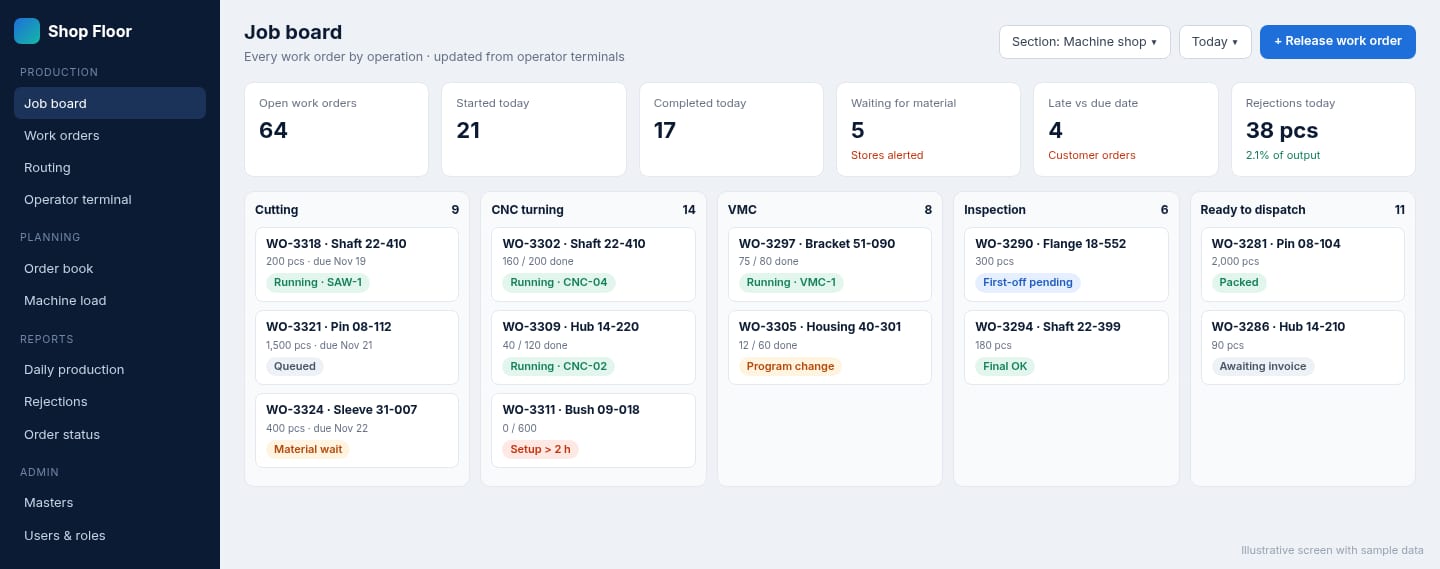
The job board shows every open work order in the operation it is currently in: cutting, CNC turning, VMC, inspection or ready to dispatch. It shows quantities done and remaining, and a status such as running, queued, waiting for material or setup overrun. Supervisors and the office see the same board, so the question "where is my order?" is answered on screen.
3. Tablet terminals at the machines
Operators scan the job card on a tablet at the machine to start the job. During the shift they record good and rejected quantities with large buttons, choose a reject reason from a short list for that operation, and pause with a reason when the machine stops. The screen shows the drawing revision and planned quantity, so operators work to the right version.
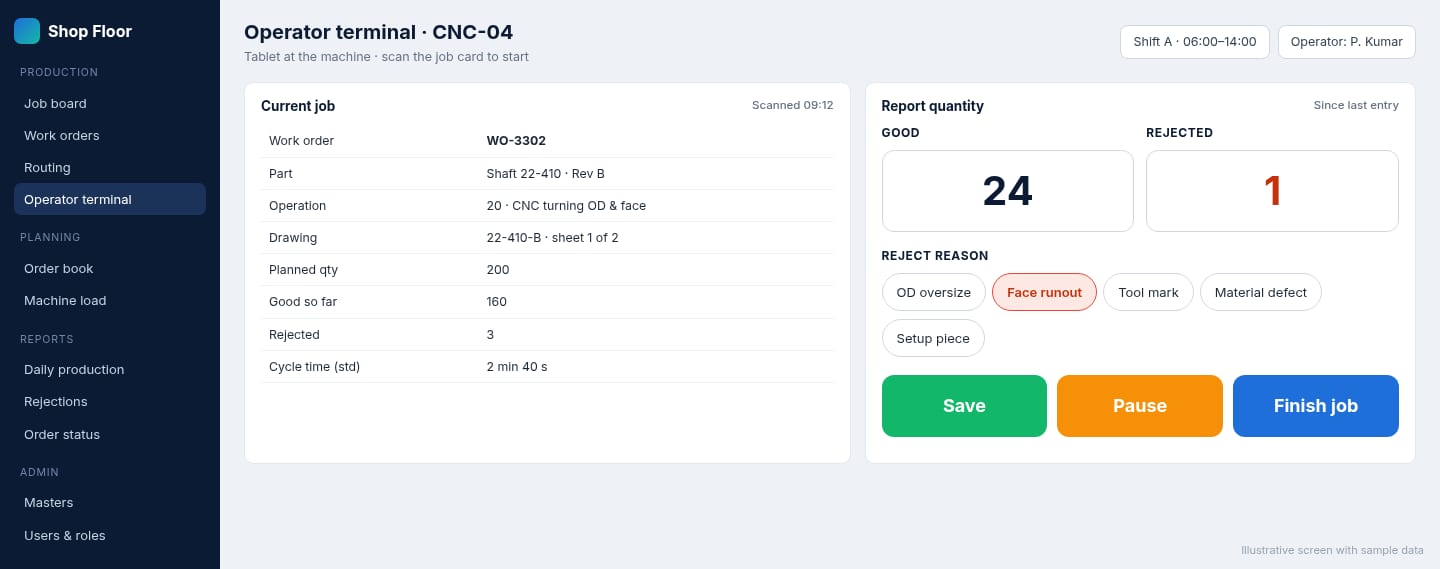
4. Exceptions, not just reports
Rather than waiting for someone to notice, the system highlights work orders that are late against their due date, waiting for material, or whose setup has run longer than the standard. Daily production, rejection-by-reason and order status reports are produced from the same records.
How the rollout worked
We began with masters, parts and routings, for the products that make up most of the shop's volume, and ran the job board from office entries for the first weeks. Once the routings were right, tablets went to the CNC section first, where most work orders spend their time, and then to the remaining sections. Supervisors were involved in designing the operator screen, which kept it simple enough to use with gloves on and in a hurry.
The results
The software was delivered and is used across the shop. The main changes the client sees:
- Order status on screen instead of walking the floor or calling supervisors.
- Same-shift visibility of quantities and rejections, instead of next-day registers.
- Rejections with reasons, so recurring problems can be traced to parts, operations and machines.
- Problems seen earlier, such as material waits and long setups, while there is still time to protect delivery dates.
- Less dependence on a few people, because routings and job status live in the system.
Want to see your shop on one screen?
See our production management software and MES pages, or read moving to paperless job cards and WIP tracking in manufacturing. All custom code is transferred to you on final payment.
Frequently asked questions
Do operators need to type a lot on the shop floor?
No. Operators scan the job card, then tap large buttons to start, pause or finish and to record good and rejected quantities with a reason. Typing is kept to a minimum and labels can be shown in the local language.
What if a machine has no tablet?
Quantities can be recorded from a shared terminal for a section or by the supervisor. Many factories start that way and add terminals at the busiest machines later.
Can this connect to our accounting or ERP software?
Where the existing system offers an API, import facility or data export, yes. We check feasibility during scoping and confirm it before you commit.
Who owns the software?
The client. All custom code built for a project is transferred to the client on final payment.