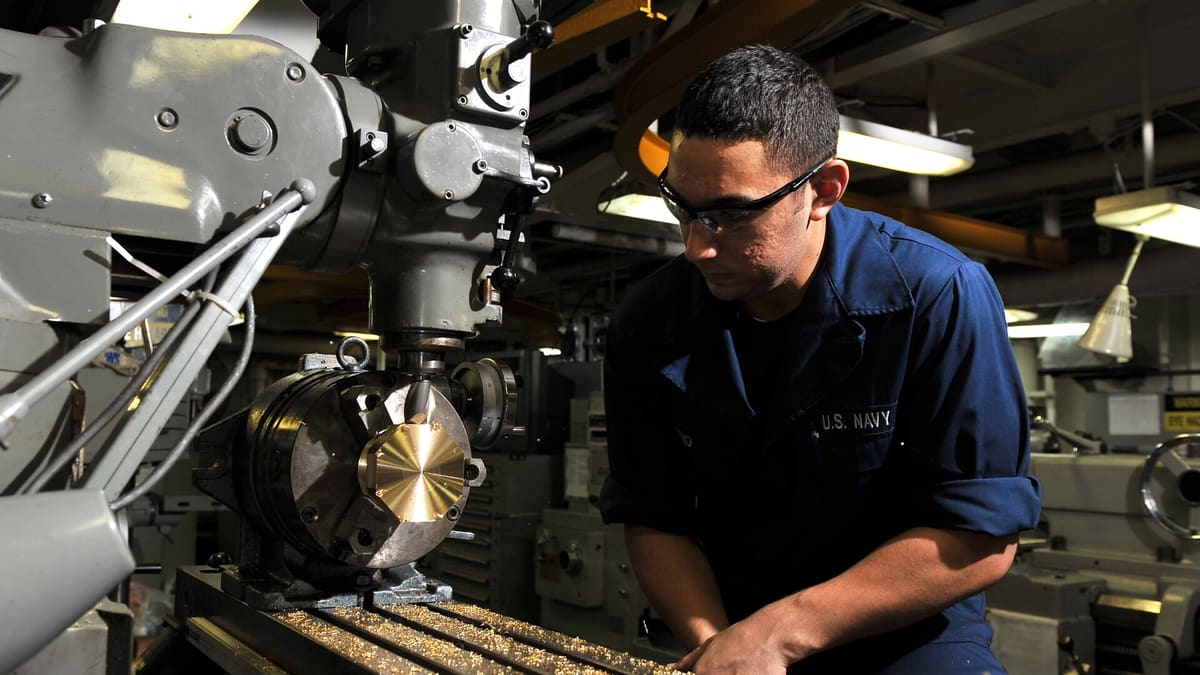
An engineering job shop is a business of variety. On any day the shop may be running fifty different jobs — prototypes, small batches, repeat orders, rush repairs — each with its own drawing, material, routing and delivery date. The owner usually carries the schedule, the prices and the priorities in their head. That works until the business grows, the owner is away, or a large customer starts asking hard questions about delivery and quality.
Why job shops are hard to manage
Job shops face high mix and low volume: every job is slightly different, so there's no fixed rhythm. Routings vary, set-up times are a large share of total time, and machines are shared by many jobs competing for priority. Outsourced processes add delays outside the shop's control. And because many jobs are quoted individually, a few badly estimated jobs can wipe out a month's profit without anyone noticing.
Quoting quickly and consistently
Quotes are the start of profit. A quotation module with material rates, machine-hour rates by machine type, set-up allowances and outsourcing costs turns a drawing into a consistent price. Quoting from similar past jobs — with their actual costs — makes estimates realistic. Tracking quote win rates by customer and job type shows where pricing is too high or too low. See quotation estimating guide.
Job cards linked to drawings
When an order is confirmed, a job card is created with the part, quantity, material, routing (operations and machines) and due date, linked to the current drawing revision. Printing a barcode on the job card lets operators scan it at each operation. The drawing is available on shop-floor tablets, so nobody works from an outdated print.
Machine-wise scheduling
With routings and estimated times, jobs can be scheduled by machine. A visual board shows each machine's load for the coming days and where conflicts lie. Rush jobs can be inserted and the impact on other jobs seen immediately. Grouping similar set-ups reduces changeover time. See production scheduling.
Operation booking
Operators scan the job card to start and finish each operation and enter good and rejected quantities. Set-up and run times are captured separately. This simple step gives live job status, actual times for costing and data for improving estimates.
Outsourced processes
Heat treatment, plating, grinding, coating and special processes are often sent to vendors. Recording parts sent and received against the job's routing, with vendor and expected date, keeps outsourced steps visible. Turnaround and rejection by vendor support better vendor choices. See subcontractor management.
Inspection and quality records
First-article inspection, in-process checks and final inspection are recorded per job, with measurements against drawing tolerances. Customer-required inspection reports are generated from the data. Rejections are recorded with reasons, feeding a defect Pareto that shows where to improve.
Material and stock
Bar stock, plates and castings are issued against jobs. Remnants are returned to stock with size and grade. Material certificates from suppliers can be attached to stock lots and passed on to customers.
Job costing
Actual cost per job — material, machine hours at machine-hour rates, labour, outsourcing — compared with the quoted price shows the real margin. Over time, patterns emerge: certain customers, materials or part types consistently over- or under-run. This is the single most valuable insight for a job shop owner. See job costing for job shops.
Delivery performance
Tracking promised versus actual delivery dates per job and customer highlights where scheduling or capacity needs attention. Customers increasingly rate suppliers on delivery; knowing your own numbers first is an advantage.
Common problems this software solves
- Quotes depend on one person's memory.
- Nobody knows exactly where a job is.
- Rush jobs disrupt everything without visible impact.
- Outsourced parts disappear for weeks.
- Jobs lose money and nobody notices.
- Inspection reports compiled manually for each customer.
KPIs to track
- Quote win rate and quote turnaround time.
- On-time delivery percentage.
- Actual versus estimated hours by job type.
- Margin per job and per customer.
- Machine utilisation and set-up time share.
Where to start
- Quotation and job cards with barcodes.
- Operation booking on the floor.
- Job costing and delivery tracking.
- Scheduling, outsourcing and inspection reports.
Corposol builds job shop and engineering software. Talk to us.
Handling repeat orders
Many job shops have regular customers who reorder the same parts. Storing the complete job specification — drawing revision, routing, set-up notes, inspection plan and actual times from previous runs — means repeat orders can be released in minutes and scheduled with realistic times. Set-up notes and fixture details from the last run save hours of rediscovery on the machine, and comparing run-to-run costs shows whether process improvements are sticking.
Capacity planning for growth
When a large new customer appears, the owner needs to know whether the shop can take the work. Machine-wise load from current orders, plus the new customer's expected volume, shows which machines will become bottlenecks — guiding decisions on overtime, a second shift, outsourcing or a new machine.
Frequently asked questions
Is job shop software suitable for a 10-machine shop?
Yes. Small shops often benefit most, because the owner currently carries scheduling and costing in their head. Start with quoting, job cards and job costing.
Can we quote using past jobs?
Yes. Similar past jobs, with their actual costs, can be copied as the starting point for a new quote.
Can operators book jobs without typing?
Yes. Barcoded job cards are scanned to start and finish operations, with quantities entered in a few taps.
Can outsourced operations be tracked?
Yes. Parts sent for heat treatment, plating or grinding are tracked by vendor with expected return dates.
Can we see profit per job?
Yes. Actual material, machine hours, labour and outsourcing are compared with the quoted price for every job.
Can machine-hour rates differ by machine?
Yes. Each machine or machine group can have its own hourly rate covering depreciation, power, maintenance and overheads, so job costs reflect the actual machines used.
Can customer inspection reports be generated automatically?
Yes. Measurements recorded against drawing tolerances populate the customer's inspection report format for each job or lot.