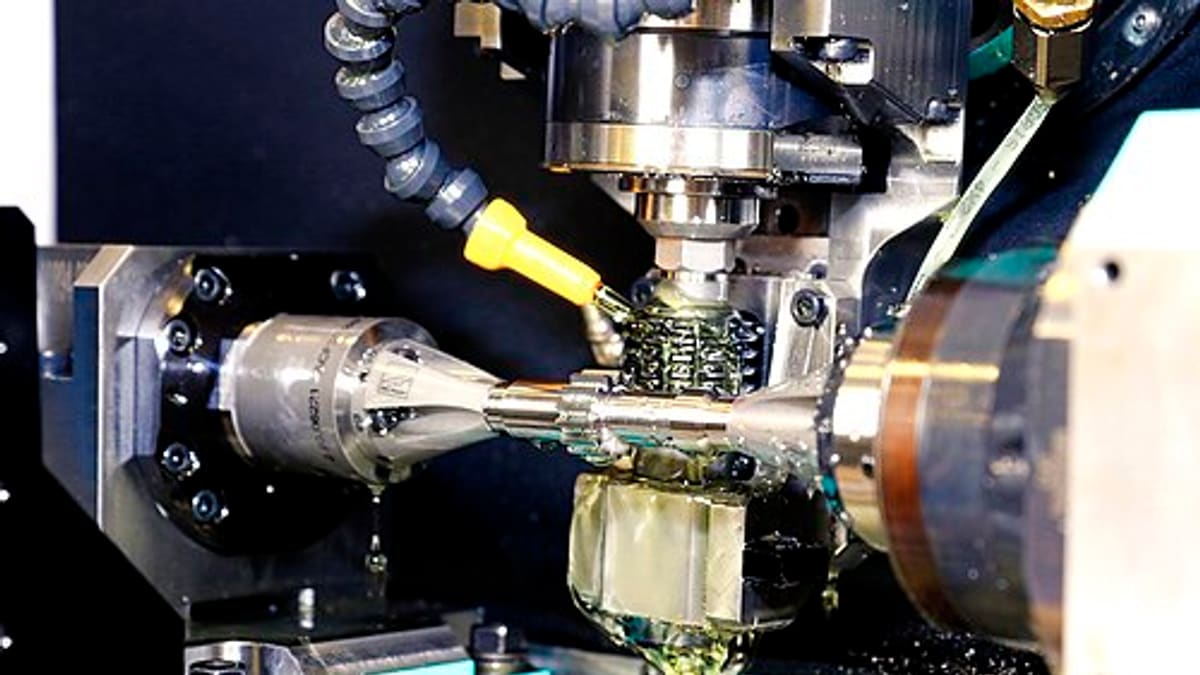
CNC lathes and machining centres are the backbone of many factories — and among the most expensive assets on the floor. Unplanned downtime on a CNC machine can stop a whole cell. Most failures are preventable with simple, regular care. Below is a practical preventive maintenance checklist, followed by tips for making sure it actually gets done.
Note: always follow your machine manufacturer's manual and safety procedures. This checklist is a general guide.
Daily checks (operator, start of shift)
- Check way lube oil level and top up if needed.
- Check hydraulic oil level and pressure gauge reading.
- Check coolant level and concentration; top up with the correct mix.
- Check air pressure at the regulator; drain water from the air filter.
- Clean chips from the work area, chuck or table, and tool changer area.
- Inspect way covers and wipers for damage.
- Warm up the spindle as recommended before heavy cutting.
- Listen for abnormal noise from spindle, axes and hydraulic unit.
- Check that emergency stop and door interlocks work.
- Note any alarms or abnormalities and report them.
Weekly checks
- Clean the coolant tank strainer and chip conveyor.
- Check and clean the electrical cabinet filters and cooling fans.
- Check chuck jaw lubrication and clean jaws (lathes).
- Inspect tool holders and pull studs for wear or damage (machining centres).
- Check the tool changer for smooth operation.
- Check tailstock and turret alignment where relevant.
- Verify lubrication is reaching the ways (check for oil film).
Monthly checks
- Clean or replace air filters and check the air dryer.
- Check hydraulic and lubrication filters; replace if needed.
- Inspect belts for tension and wear.
- Check coolant concentration and pH; clean tank if contaminated.
- Inspect cables and hoses for wear.
- Check machine level and foundation bolts.
- Back up CNC parameters and programs.
Quarterly and half-yearly checks
- Change hydraulic oil as per manufacturer interval.
- Check ball screw backlash and compensate if required.
- Check spindle runout and taper condition.
- Inspect way wipers and replace worn ones.
- Check and clean the electrical panel thoroughly; tighten terminals.
- Check battery for absolute encoders / memory backup where applicable.
Annual checks
- Full geometry check and alignment (level, squareness, parallelism).
- Spindle vibration and bearing condition assessment.
- Replace coolant completely and clean tank.
- Inspect and service the chip conveyor drive.
- Check all safety devices and interlocks formally.
- Review breakdown history and adjust the PM plan.
Why CNC PM gets skipped
The usual reasons: production pressure ("we'll do it on Sunday"), no clear owner, paper checklists that are signed without being done, and no visible consequence when tasks are missed. The result is predictable — breakdowns at the worst time.
Making PM stick
- Split responsibilities — daily checks to operators, weekly and above to maintenance.
- Use digital checklists with timestamps and photos for key items (oil levels, filters).
- Schedule PM in planned stops and agree with production in advance.
- Track compliance — percentage of scheduled tasks completed on time — and review weekly.
- Link findings to action — abnormalities become maintenance requests automatically.
Running-hour based maintenance
Some tasks are better triggered by usage than by calendar — spindle bearing checks, hydraulic oil changes. Recording machine or spindle hours (manually or from the machine where it provides data) lets software trigger tasks at the right time, avoiding both over- and under-maintenance.
Spares to keep for CNC machines
Common critical spares include way wipers, filters, belts, proximity switches, solenoid valves, fuses, coolant pumps and, for critical machines, spare drive or encoder modules where lead times are long. Linking spares to machines in your maintenance system makes reordering simple. See spare parts strategy.
Measuring results
Track breakdowns per machine, MTBF, MTTR and PM compliance. As PM compliance rises, breakdowns should fall. See MTTR and MTBF.
Digitising the checklist
A maintenance app lets operators complete daily checklists on a tablet by scanning the machine's QR code, while technicians receive weekly and monthly tasks automatically. Missed tasks are visible to supervisors immediately, and every check builds the machine's history. See preventive maintenance software.
Talk to us about digitising your CNC maintenance.
Coolant management deserves special attention
Poorly maintained coolant causes rust on parts and machines, skin problems for operators, bad smells and shorter tool life. A simple routine prevents most of this: check concentration daily with a refractometer, top up with pre-mixed coolant rather than water, skim tramp oil regularly, check pH weekly, and clean the tank completely at planned intervals. Recording concentration readings in the maintenance app shows trends and catches problems before they become expensive.
Using operator observations
Operators notice small changes first — a new sound, a slight vibration, a slower tool change, a leak. Making it easy to report observations from the machine (a QR scan and a short note or photo) turns these early signals into planned repairs instead of breakdowns. Review observations weekly and close each with an action or an explanation, so operators see that reporting matters.
Building a machine history card
Every PM task, breakdown, spare used and adjustment made becomes part of the machine's history card. When a problem recurs, technicians can see what was done last time; when a machine is considered for overhaul or replacement, the full history supports the decision.
Frequently asked questions
Who should do daily CNC checks?
Operators, at the start of each shift. Daily checks are simple — levels, cleanliness, air pressure, abnormal noise — and operators are best placed to notice changes.
Should we follow the manufacturer's maintenance schedule?
Yes, as the starting point. Adjust frequencies based on your usage, environment and breakdown history.
How do we ensure checklists are actually done?
Use a digital checklist on a tablet with timestamps and photos for key items, and review completion in daily meetings.
What about spindle and ball screw maintenance?
These are critical components; follow manufacturer guidance on lubrication, and periodically check backlash, runout and vibration.
Can maintenance software schedule tasks by running hours?
Yes. Tasks can be triggered by calendar or by spindle or machine running hours entered manually or captured from machines where available.