
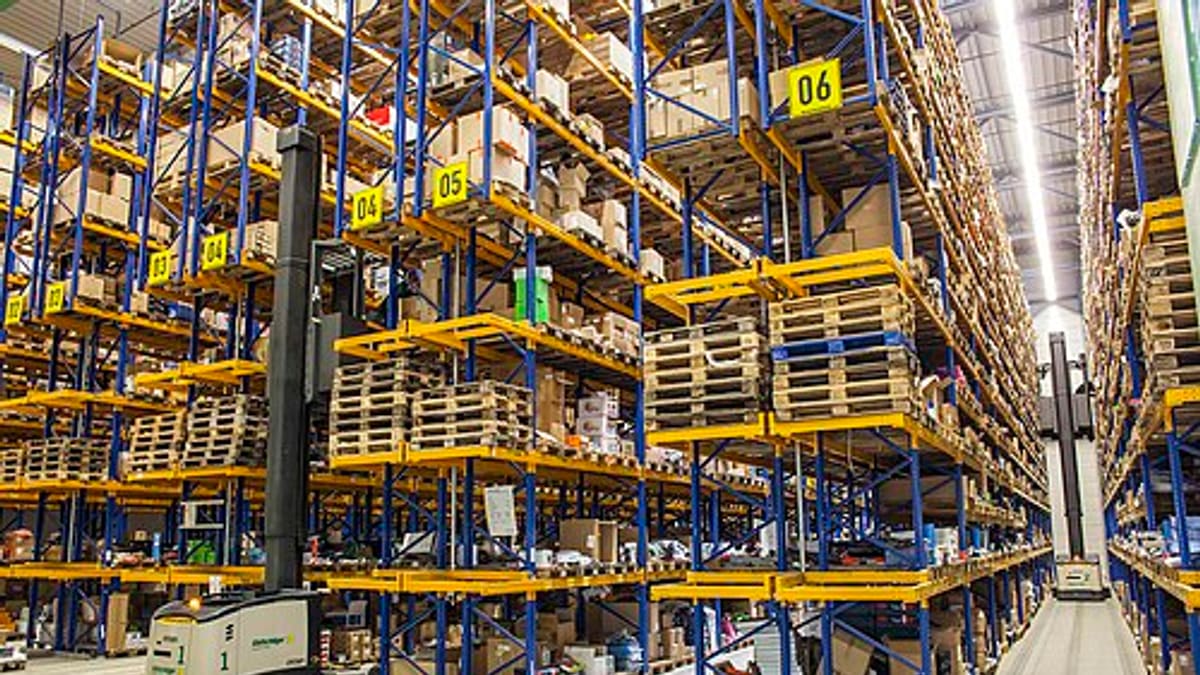
A store or warehouse without bin locations relies on memory. Experienced storekeepers know where things are — until they're on leave, the store grows, or a new product range arrives. Then materials are hard to find, duplicates are ordered, and pickers walk far more than necessary. Setting up proper bin locations is one of the most practical improvements a factory store or warehouse can make.
Step 1: Define zones
Divide the space into zones by type and handling: raw materials, components, consumables, spares, finished goods, quarantine and rejected material, hazardous materials, and returns. Zones keep similar items together and simplify rules — for example, nothing leaves quarantine without quality approval.
Step 2: Create a location code format
A common format is zone–aisle–rack–level–position, such as RM-03-02-C-04: raw material zone, aisle 3, rack 2, level C, position 4. Keep codes short, consistent and readable from a distance. Use letters for levels and numbers for positions (or the reverse) to avoid confusion. Document the scheme and never improvise new formats.
Step 3: Label everything
Each location gets a durable label with the code in large text and as a barcode or QR code. Labels should be at a consistent height and position on racks. For floor locations, use floor labels or hanging signs. Good labels make the system usable; poor labels make it ignored.
Step 4: Decide fixed or flexible locations
Fixed locations assign each item a permanent home — easy for people to learn and ideal for frequently picked items. Flexible (random) locations place items wherever space is available, recorded by the system — efficient for space and ideal for pallets and slow movers. Many stores use both: fixed pick faces for fast movers, flexible reserve storage for overflow.
Step 5: Slot by velocity and size
Place fast-moving items close to the issue or dispatch area, at waist-to-shoulder height. Slow movers can be further away or higher up. Heavy items go low. Items often picked together can be stored together. An analysis of pick frequency by item — similar to ABC analysis but by number of picks rather than value — guides slotting.
Step 6: Define putaway rules
When goods arrive, where do they go? Rules may include: put into the item's fixed location if space allows; otherwise into a reserve location in the same zone; keep batches separate; put quarantine material into quarantine locations until approved. Scanning the location at putaway records it in the system.
Step 7: Define picking rules
Pick from fixed pick locations first, then reserve. For batch-controlled items, pick FIFO or FEFO. Pick lists should be sorted in walking order to reduce travel. Scanning the location and item at picking confirms accuracy. See FIFO vs FEFO.
Step 8: Record every move
Location accuracy depends on recording every movement — receipt, putaway, transfer between locations, issue and return. Unrecorded moves are the main cause of "the system says it's there but it isn't". Mobile scanning makes recording moves quick enough that people actually do it.
Step 9: Count by location
Cycle counting by location catches misplaced items as well as quantity errors. Empty-location checks — confirming that locations the system says are empty really are — are quick and very effective. See cycle counting.
Special zones
- Quarantine — material awaiting inspection, physically and systemically separated.
- Rejected — clearly marked, awaiting return or disposal.
- Hazardous — following applicable storage rules.
- Temperature-controlled — with monitoring where needed.
- High-value — with restricted access.
Factory stores versus distribution warehouses
Factory stores focus on issuing materials to production — often in kits per work order — and receiving returns. Distribution warehouses focus on picking customer orders and dispatch. The principles of locations, labels and recorded moves are the same; the picking and packing processes differ.
Common mistakes
- Inconsistent location codes created ad hoc.
- Labels that fade, fall off or can't be read.
- Moves made without recording them.
- Fast movers stored at the back.
- No quarantine separation.
How software helps
Warehouse software stores locations and capacities, suggests putaway locations, generates pick lists in walking order, enforces FIFO or FEFO, records every scan and shows stock by location in real time. See warehouse management software.
Talk to us about organising your stores or warehouse.
Planning capacity and growth
When designing locations, plan for growth. Leave spare positions in each zone, choose rack types that can be reconfigured, and record location capacity (by volume, weight or number of pallets) so the system can suggest putaway locations that actually fit. A store that is full on day one quickly reverts to informal storage in aisles.
Kitting areas for production
In factory stores, a dedicated kitting area — where materials for each work order are picked, verified by scan and staged — reduces production waiting time and errors. Kits can be delivered to the line on schedule, and shortages are visible before the job starts rather than halfway through.
Frequently asked questions
Should every item have a fixed location?
Fast-moving and frequently picked items benefit from fixed locations; slow or bulky items often work better with flexible locations assigned at putaway.
What's a good location code format?
Something like zone–aisle–rack–level–bin (for example A-03-02-C-04), kept short and readable, with the same format throughout.
Do we need scanners for bin management?
Not necessarily. Phone cameras can scan barcodes and QR codes; dedicated scanners help for high volumes.
How do we handle overflow stock?
Use defined overflow or reserve locations and record moves between them and pick locations.
How often should slotting be reviewed?
Every few months, or when product mix changes significantly.
How long does it take to set up bin locations?
For a typical factory store, planning, labelling and loading locations can be done in days to a few weeks, depending on size. Recording every move from day one is what keeps the system accurate afterwards.


