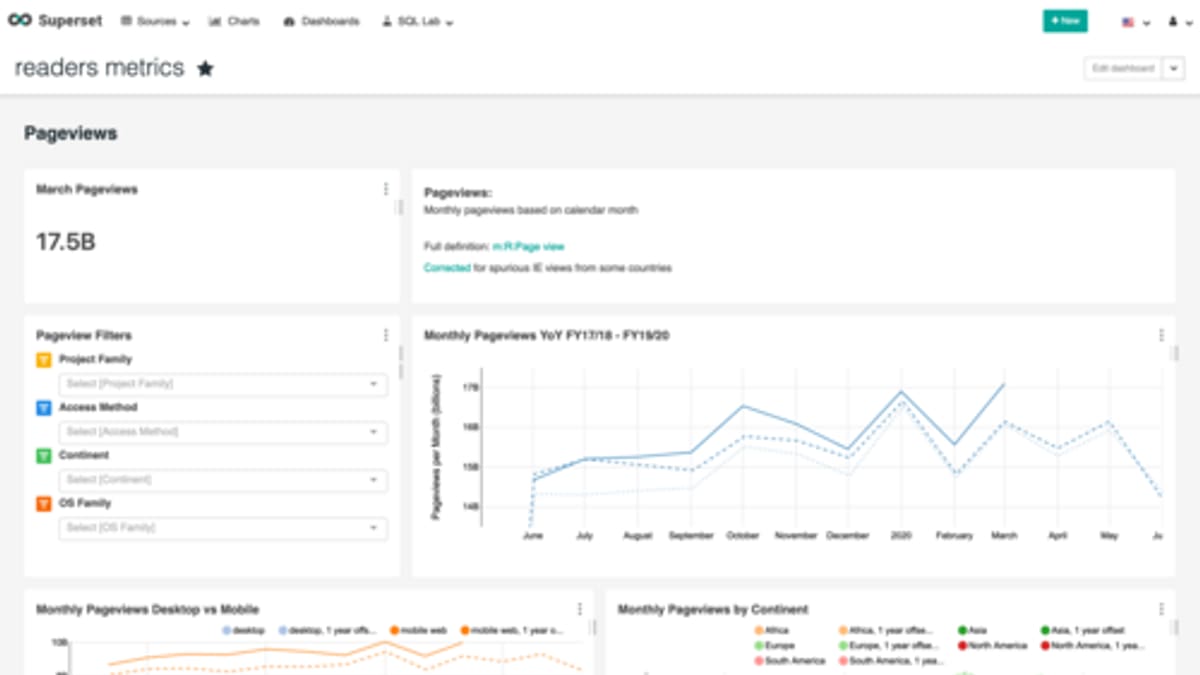
Most business owners want a dashboard: one screen that shows how the business is doing, right now. Many have tried — a complex spreadsheet, a BI tool, a dashboard in their ERP — and ended up with something that is either out of date, full of numbers nobody trusts, or simply never opened. A useful management dashboard is less about charts and more about choosing the right numbers, defining them clearly and using them regularly.
Start with decisions, not data
Ask: what decisions do managers make each week or month, and what information would make those decisions better? Examples:
- Do we need to chase collections this week?
- Which customers or products are losing margin?
- Are we going to deliver this month's orders on time?
- Do we need more technicians, or overtime?
- Which branch or team needs help?
Each KPI on the dashboard should help answer a question like these.
Choose a few meaningful KPIs
A typical main dashboard for a small or mid-sized business might include:
- Sales or orders this month versus target and last year.
- Gross margin percentage.
- Cash position and receivables overdue.
- Order book or pipeline value.
- On-time delivery or SLA compliance.
- An operational efficiency measure — jobs per technician, OEE, orders shipped per day.
- A quality measure — complaints, returns, repeat visits.
- A people measure — headcount, overtime, attrition.
Six to twelve numbers is enough for the main view. Department dashboards can go deeper.
Define every number precisely
Most dashboard arguments are about definitions. "Sales" — invoiced, booked, or delivered? Including tax? Net of returns? "On-time delivery" — against the customer's requested date or the promised date? Write a one-line definition and calculation for every KPI, agree it with the people who use it, and show the definition on the dashboard. This single step does more for trust than any chart design.
Find the data sources
Data typically lives in several places: accounting software, CRM or sales tools, operational systems, spreadsheets and sometimes paper. For each KPI, identify:
- Which system holds the data.
- How it can be accessed — API, database connection, export file, manual entry.
- How clean and complete it is.
- Who owns it.
Data quality problems surface quickly when numbers are put on a dashboard. That's useful — it forces processes to improve — but plan time for it.
Refresh frequency
Not everything needs to be real time. Production output and open service jobs may need updating every few minutes; sales and margin daily; financial measures weekly or monthly. Match frequency to the decision, and show the "last updated" time on the dashboard so people know how fresh the data is.
Targets and context
A number on its own means little. Show each KPI against a target, a previous period or a trend line. Simple colour coding — on track, at risk, off track — helps people see where to focus, as long as the thresholds are agreed.
Drill down to the cause
When a number is off track, the next question is why. Good dashboards let users click from the summary to the detail: from overdue receivables to the customers and invoices, from on-time delivery to the late orders, from margin to the products or jobs. Without drill-down, the dashboard creates questions but no answers.
Avoid vanity metrics
Website visits, total number of customers ever, or "orders this year" with no comparison may look impressive but rarely drive decisions. If a number never changes what anyone does, remove it.
Build a review routine
A dashboard that's not reviewed is decoration. Build it into management routines: a weekly meeting that starts with the dashboard, discusses off-track items and assigns actions. Over time, the dashboard becomes the shared language of the management team.
An example
A distribution and service business had monthly reports built manually from accounting software, a CRM and several spreadsheets, available two weeks after month-end. A custom dashboard was built that pulled data automatically each night, with ten agreed KPIs, definitions shown on screen and drill-down to detail. The weekly management meeting started from the dashboard. Overdue receivables were chased earlier, a low-margin product line was repriced and branch managers began asking for their own department views.
Common mistakes
- Too many KPIs.
- No agreed definitions.
- Manual data collection that falls behind.
- No targets or comparisons.
- No drill-down.
- No routine for using it.
How we help
Corposol builds data integration and dashboards that bring data together from your existing systems where they allow it, alongside custom applications. Talk to us about the numbers you need to see.
Dashboards for different roles
Once the management dashboard works, department heads usually want their own views: a sales dashboard by rep and region, an operations dashboard by team or line, a finance view of receivables and cash. Build these on the same definitions, so numbers agree across views and discussions focus on actions rather than reconciling figures.
Frequently asked questions
How many KPIs should a management dashboard show?
Usually between six and twelve on the main view. More than that becomes a report rather than a dashboard, and attention gets diluted.
Where does dashboard data come from?
From the systems you already use — accounting, sales, operations, spreadsheets — combined through APIs, database connections or scheduled imports, depending on what each system supports.
How often should the dashboard update?
It depends on the decision. Operational numbers may need near real time; financial and strategic numbers are often fine daily or weekly.
Should we buy a BI tool or build a custom dashboard?
Off-the-shelf BI tools work well when data is already clean and accessible. A custom dashboard makes sense when data lives in several systems or spreadsheets, or when the dashboard is part of a custom application.
Why do dashboards get ignored?
Because the numbers aren't trusted, don't relate to decisions, or there's no routine for reviewing them. Fix the definitions and build the review into management meetings.