Many service businesses are busy and profitable on paper but short of cash. Jobs are completed, but invoices are raised days later, sent by email that nobody reads, and chased by phone weeks afterwards. Contract billing is forgotten. Technicians collect cash that isn't reconciled. Improving collections is often the quickest way to strengthen a service business's finances — without winning a single new customer.
Invoice at completion
The single biggest improvement is invoicing as soon as the job is complete. When the technician closes the job, the invoice is generated from labour, parts and charges recorded on the job and sent to the customer immediately. The longer the gap between work and invoice, the longer customers take to pay.
Payment links
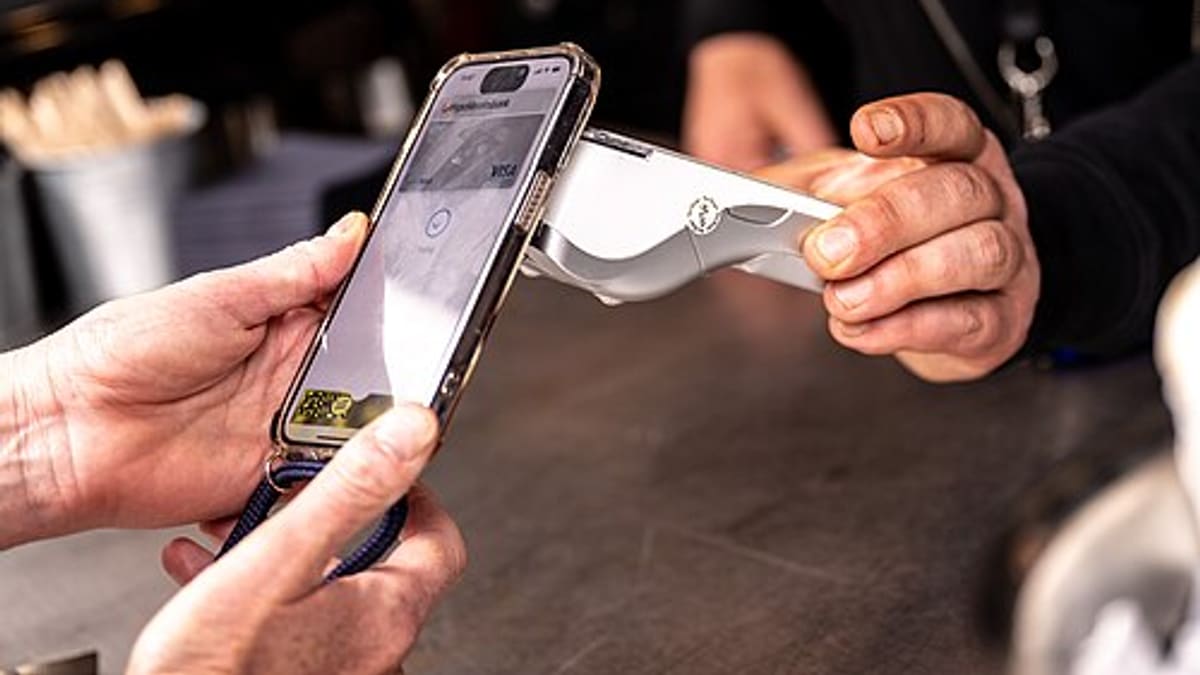
A payment link with the invoice lets customers pay instantly by card, UPI, wallet or bank transfer, depending on the gateway. Many customers pay while the technician is still on site. Gateway charges are billed by the provider.
On-site collection
For customers who pay on the spot, technicians record payments in the app with receipts sent automatically. Daily reconciliation of cash and digital collections per technician prevents leakage and disputes.
Contract and AMC billing
AMCs and service contracts may be billed upfront, quarterly or monthly. Automatic invoice generation on due dates ensures contract revenue is billed on time. Renewal invoices are sent with renewal reminders.
Reminders and follow-up
Automatic reminders before due dates and after they pass — by email, SMS or WhatsApp — reduce manual chasing. Escalation rules flag long-overdue accounts for personal follow-up by the account manager.
Customer statements
Business customers with many jobs appreciate periodic statements showing invoices, payments and balances. Statements reduce confusion and speed approval in their accounts departments.
Credit control
Customers with long overdue balances can be flagged at booking, so the office can discuss payment before sending technicians for non-urgent work. Clear credit rules protect cash flow without damaging relationships.
Integration with accounting
Invoices and payments can flow into accounting software where it supports integration, avoiding double entry and keeping receivables accurate.
Measuring collections
- Days from job completion to invoice — aim for same day.
- Days sales outstanding — average time to collect.
- Overdue balance by age.
- Share of payments via links.
- Cash reconciliation differences.
Common mistakes
- Invoicing in batches at month end.
- Invoices without clear job details, causing queries.
- No reminders until payments are badly overdue.
- Unreconciled technician cash.
- Forgotten contract billing.
How software helps
Field service software generates invoices from completed jobs, sends payment links, records on-site collections, automates contract billing and reminders, and syncs with accounting where possible. See field service management software.
Talk to us about faster collections.
An example: from month-end invoicing to same-day billing
A service company with thirty technicians used to collect job sheets daily and raise invoices in a batch at month end. Customers received invoices weeks after the work, queried details they no longer remembered and paid slowly. Technicians collected cash that was reconciled weekly, with frequent differences. After moving to invoicing on job completion with payment links, most residential customers paid the same day, often before the technician left. Business customers received invoices with job reports attached, reducing queries. Daily cash reconciliation by technician became a five-minute task. Within a few months, the average time to collect fell substantially and the finance team spent far less time chasing payments.
Making invoices easy to approve
Business customers often need approvals before paying. Invoices that include the job reference, site, work done, parts used and the customer's purchase order number — with the service report attached — move through approval faster. Missing details are the most common reason invoices sit unpaid in a customer's accounts department.
Deposits and advance payments
For installations and larger repairs, collecting deposits or advance payments before ordering parts protects cash flow. Recording advances against jobs and adjusting them on final invoices keeps accounts clear for both sides.
Getting started
Begin with invoicing at job completion for one customer segment — usually residential or walk-in customers, where payment links make the biggest difference. Track how many invoices are paid within a day, a week and a month before and after the change. Next, add automatic reminders and daily cash reconciliation by technician, then extend to business customers with service reports and purchase order references attached. Within a quarter, most businesses can see exactly where cash is stuck and who needs a follow-up call.
Frequently asked questions
Should invoices be raised on site?
For many jobs, yes. Invoicing at completion — with a payment link — significantly shortens the time to payment.
Who pays payment gateway fees?
Payment gateway charges are billed by the provider. Businesses decide whether to absorb them or reflect them in pricing, according to applicable rules.
Can technicians collect cash safely?
Yes, with recorded receipts per job and daily reconciliation, which reduces leakage and disputes.
Can AMC billing be automated?
Yes. Billing schedules — upfront, quarterly, monthly — generate invoices automatically on due dates.
Can reminders be sent automatically?
Yes. Reminders before and after due dates can be sent by email, SMS or WhatsApp, with escalation for long overdue amounts.
Can invoices sync with accounting software?
Where the accounting software offers an API or import, invoices and payments can be synced. Feasibility is confirmed during scoping.
Can deposits be collected before ordering parts?
Yes. Deposits or advance payments are recorded against the job and adjusted on the final invoice, protecting cash flow for installations and larger repairs.
Can purchase order numbers be added to invoices?
Yes. Customer PO numbers and service reports can be attached to invoices, which helps business customers approve payment faster.
Can overdue customers be flagged when they book again?
Yes. Credit status can appear at booking, so staff can discuss outstanding balances before scheduling non-urgent work.
Can customer statements be sent automatically?
Yes. Periodic statements listing invoices, payments and balances can be emailed to business customers automatically, reducing confusion and speeding approvals in their accounts departments.